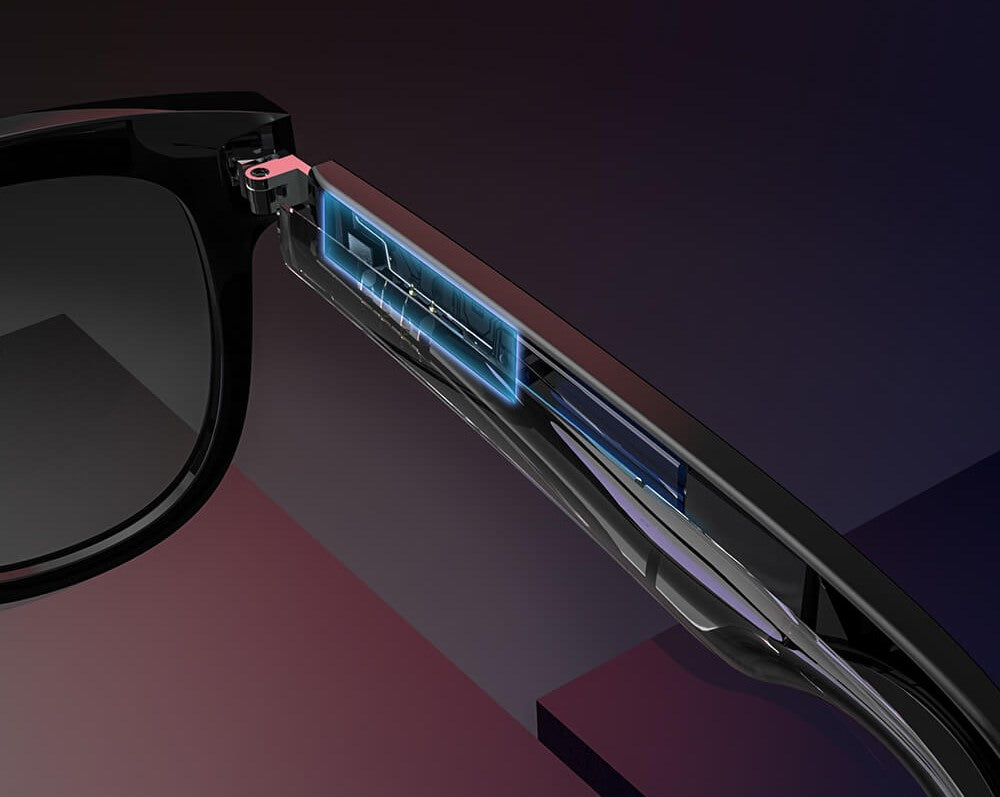
Simplify Your Life with Smart Technology Solutions.
Enhance your daily life with our smart glasses. Stay connected with Bluetooth functionality and enjoy the convenience of hands-free calling, music and teleconferencing all in ONE
Smart Glasses FAQ
Everything you need to know before — and after — you buy. Can't find your answer here? Contact our support team.
🔊 Sound & Audio Discretion
Will people around me hear what I'm listening to?
Our open-ear directional speakers are engineered to project sound toward your ears, not outward. At low-to-moderate volume (up to ~60%), audio is generally inaudible to people more than an arm's length away — ideal for commutes, offices, and quiet conversations.
At higher volumes (70%+), some sound leakage is noticeable to nearby listeners, as with any open-ear audio device. We recommend moderate volume in shared or quiet spaces for the most discreet experience. This applies to all frames, including the ONE Slims Smart Glasses and the Orbitty Smart Glasses.
How do the speakers work without earbuds?
The speakers sit just in front of your ears on the temples, delivering audio through micro-directional transducers. You hear clearly; bystanders typically do not — at moderate volume.
👓 Lens Compatibility — Progressive & Multifocal
Can I use progressive or multifocal lenses in ONE Smart Glasses?
Yes — with important caveats. Progressive and multifocal lenses can be fitted into all of our frames; Visit our Prescription Lenses page for full lens specifications and supported frame styles.
What prescription measurements do I need to provide?
You will need:
- Sphere (SPH), Cylinder (CYL), and Axis values for each eye
- Pupillary Distance (PD) — single or dual
- Add power (for progressive/bifocal lenses)
- Your optometrist's prescription is strongly recommended to ensure accuracy
See our Prescription Lenses page for how to submit your prescription and available lens types.
📶 Bluetooth Pairing
How do I pair my smart glasses for the first time?
- Power on your glasses by unfolding the temples or pressing the power button (varies by model).
- Open Bluetooth settings on your phone or device.
- Look for your glasses in the available device list (e.g., "ONE Slims" or "Orbitty").
- Tap to pair. A confirmation tone or LED will indicate a successful connection.
Your glasses will remember paired devices and reconnect automatically on subsequent uses.
Can I pair my glasses to multiple devices?
Yes. Most ONE Smart Glasses models support multi-device pairing. Switching between devices may require manually connecting from the new device's Bluetooth menu. Refer to your model's quick-start guide for the exact number of stored pairings.
My glasses aren't showing up in Bluetooth. What should I do?
- Ensure the glasses are powered on and in pairing mode (check the LED or consult your model guide).
- Toggle Bluetooth off and on on your phone.
- Move within 1 metre of your phone during initial pairing.
- If previously paired on another device, perform a factory reset by holding the power button for 10 seconds (check your model's guide for specifics).
💧 Water Resistance
Are ONE Smart Glasses waterproof?
ONE Smart Glasses are designed with everyday splash and sweat resistance in mind. They are not rated for submersion and should not be worn swimming or in heavy rain. Brief exposure to light rain or perspiration is generally fine. Avoid rinsing under running water or submerging the frames. Specific IP ratings, where applicable, are listed on each product page.
🔋 Charging
How do I charge my smart glasses?
Each pair of ONE Smart Glasses charges via the included magnetic charging cable (varies by model). Place the glasses in the case or attach the magnetic charging connector to the designated charging port on the temple. A full charge typically takes 60–90 minutes. Battery life per charge and case top-up charges are listed on each product page — see the ONE Slims and Orbitty pages for model-specific details.
Can I use a third-party charger?
We recommend using only the included charging accessories. Third-party chargers that do not match the required voltage/current specifications may damage the battery or electronics and will void your warranty.
🛡️ Warranty
What warranty do ONE Smart Glasses come with?
ONE Smart Glasses are covered by a 1-year limited manufacturer's warranty against defects in materials and workmanship from the date of purchase. The warranty does not cover:
- Accidental damage, drops, or impact
- Water damage beyond the stated resistance rating
- Damage from unauthorized repair or modification
- Normal wear and tear (lens scratches, temple wear, etc.)
How do I make a warranty claim?
Contact our support team with your order number and a description or photo of the issue. We will review your claim and respond within 2–3 business days. Start a warranty claim →
🙋 Support & Where to Get Help
Where can I find user guides and setup instructions?
Quick-start guides are included in every box and available for download on each product page. Visit the ONE Slims or Orbitty product pages and scroll to the Resources section.
How do I contact support?
Our team is available via chat and email. Visit our Contact page to reach us. We typically respond within 1 business day.
Do you have a Technology & Features overview?
Yes — visit our Technology & Features page for a deep-dive on camera specs, audio engineering, battery runtime, and more.